Email (English)
WhiteReady mail server settings and client configuration.
Mail General Configurations
Unless otherwise indicated, these are the parameters for configuring mail programs for your mailboxes hosted on WhiteReady's servers.
We provide mail services on both IMAP4 and POP3 protocols.
We also provide the SMTP service and, in case of need for mass mailings, also a Bulk SMTP service.
IMAP4 |
|
| Name server | imap.whiteready.com |
| User name |
Your full email address (smith@domain.com) |
| Password | Password |
| Port |
143 (NO SSL) |
| 993 (YES SSL) | |
POP3 |
|
| Name server | pop.whiteready.com |
| User name | Your full email address (smith@domain.com) |
| Password | Password |
| Port |
110 (NO SSL) |
| 995 (YES SSL) | |
SMTP |
|
| Name server | smtp.whiteready.com |
| User name | Your full email address (smith@domain.com) |
| Password | Password |
| Port |
25 o 587 (NO SSL) |
| 465 (YES SSL) | |
For the Bulk SMTP please contact WhiteReady.
The mailboxes provided by WhiteReady are, except in special cases, self-configuring: using the most updated versions of normal mail programs such as Thunderbird or Outlook it is sufficient to enter the email address and password: the system will automatically complete the entire configuration .
The webmail is also available, reachable at the address https://indirizzofacile.it, which can be accessed with the same credentials. The webmail is like a normal mail program configured in IMAP.
From the webmail the user can autonomously adjust some settings, including:
- change your mailbox password
- set an automatic "Out of office" message
- set up a forward
- manage spam policies
- manage subscribed IMAP folders
- set filters
- ...
iPhone configuration (IMAP)
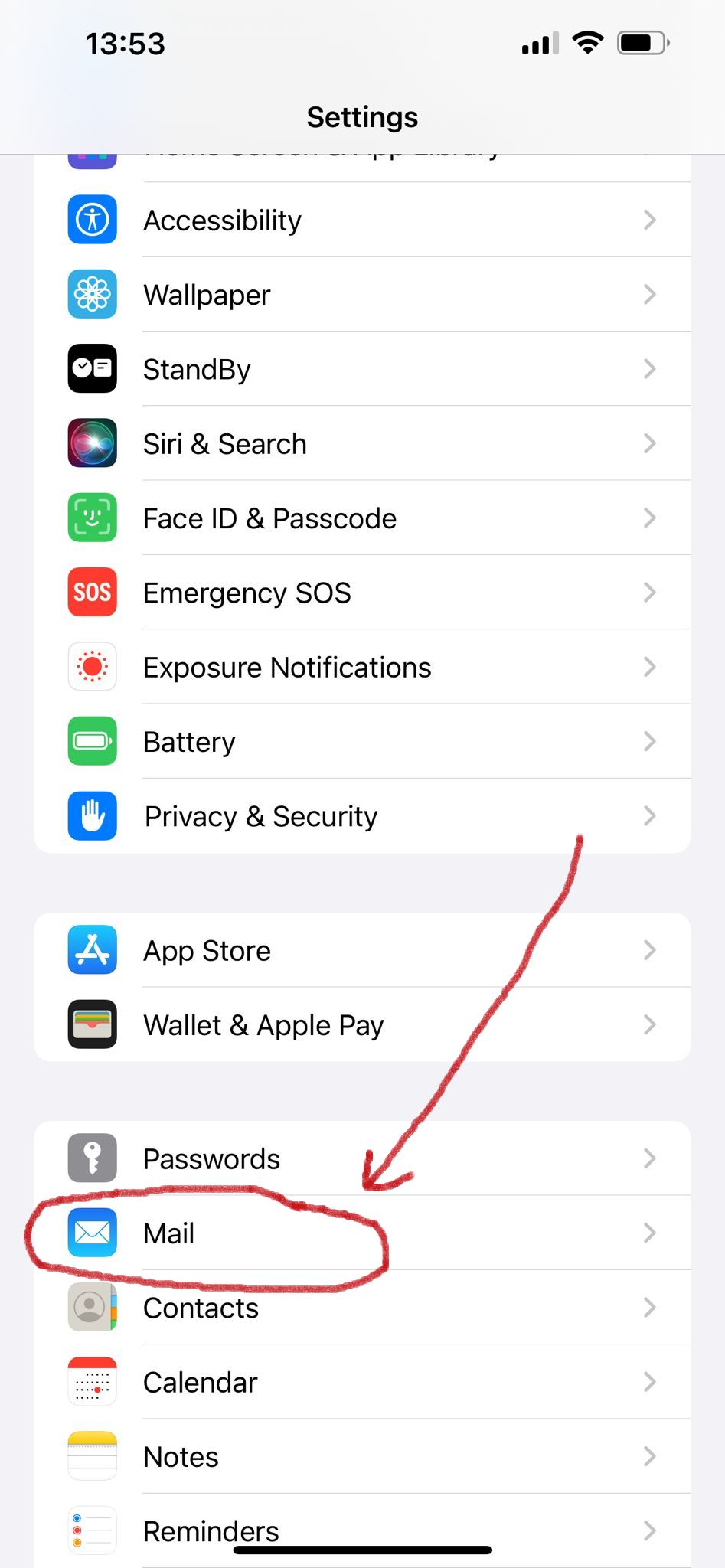
Tap on "Settings", then on "Mail"
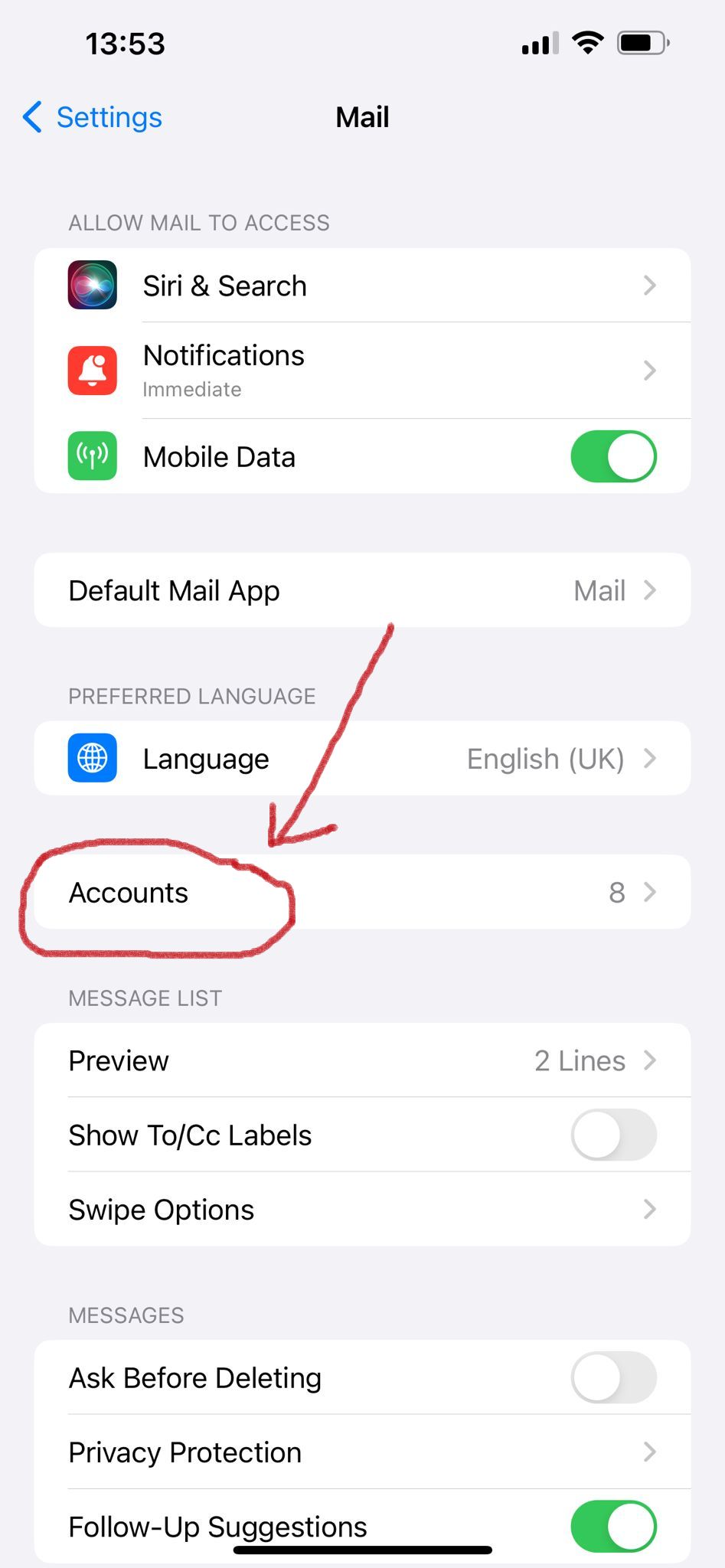
Tap on "Accounts"
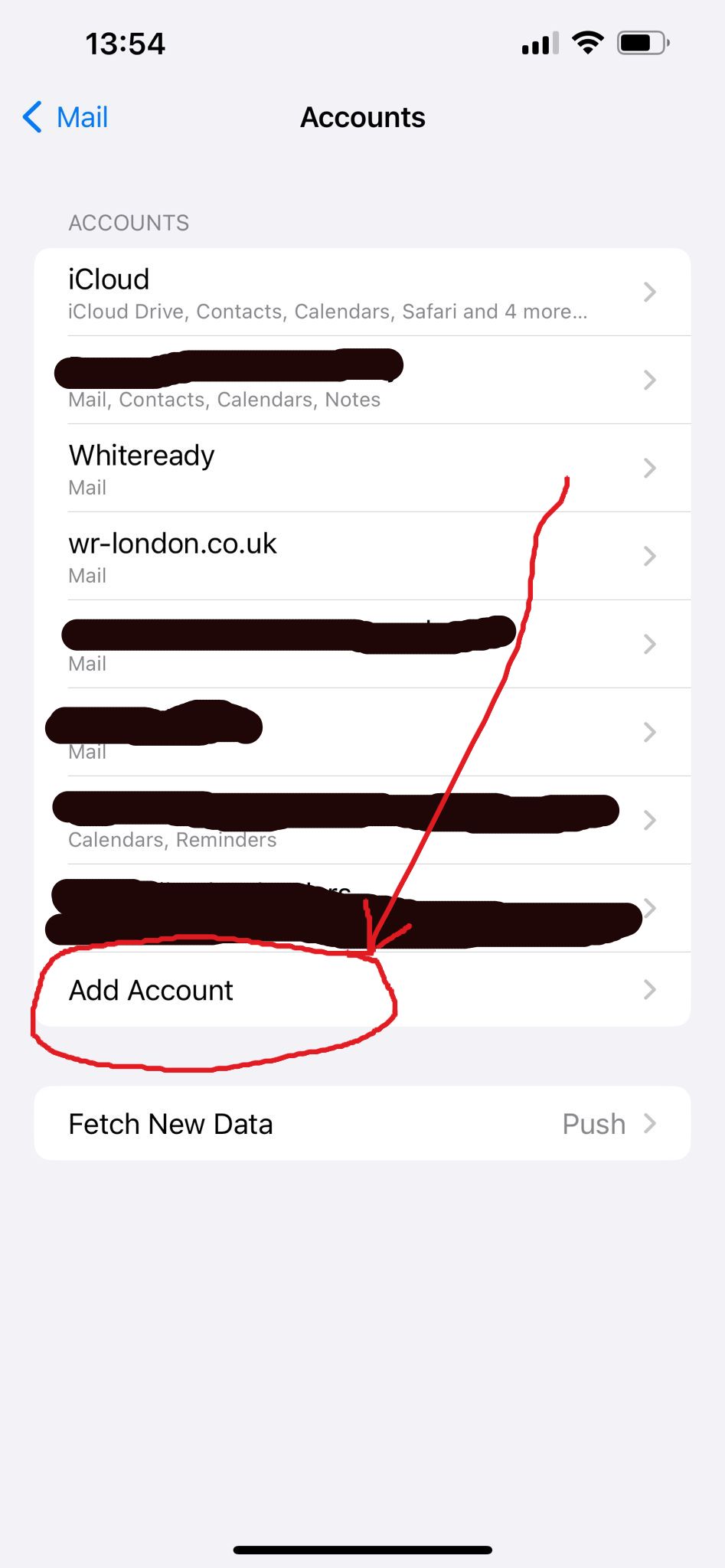
Tap on "Add Account"
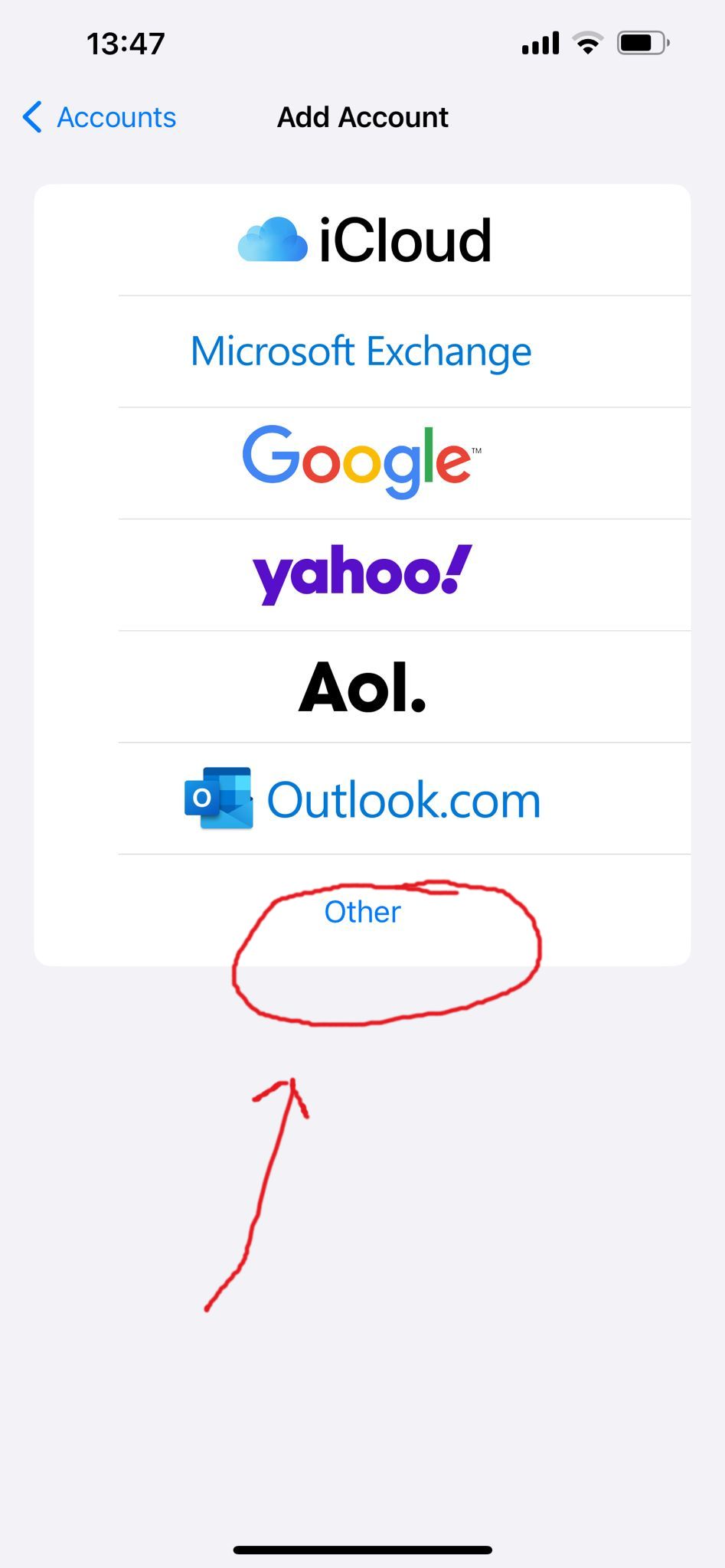
Tap on "Other"
Tap on "Add Mail Account"
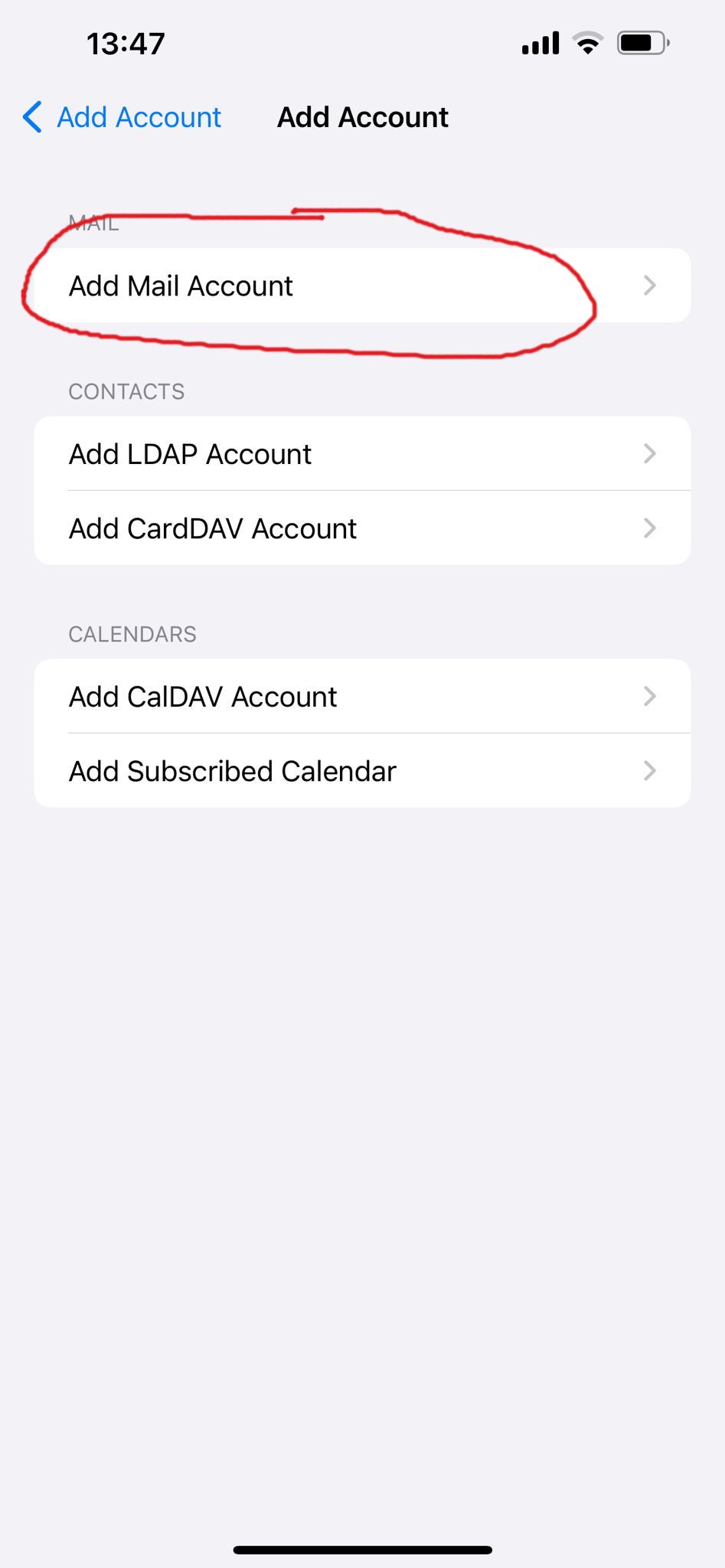
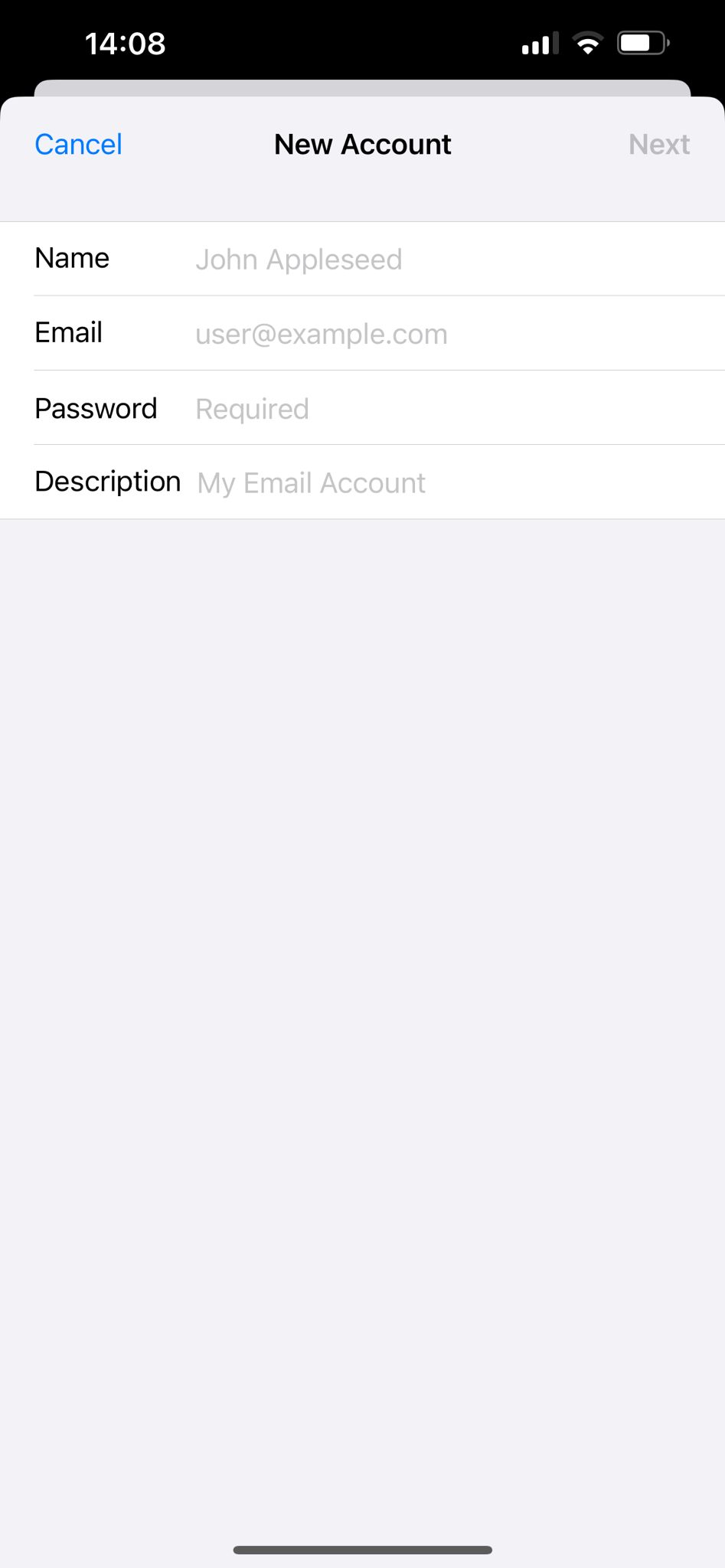
Insert your name, the email address you want to configure and password, then tap on "Next", at right top corner
Complete all fields: the email address you want to configure, the incoming mail server (imap.whiteready.com), username and password.
Do the same on the outgoing mail server (which is smtp.whiteready.com), again entering the username and password
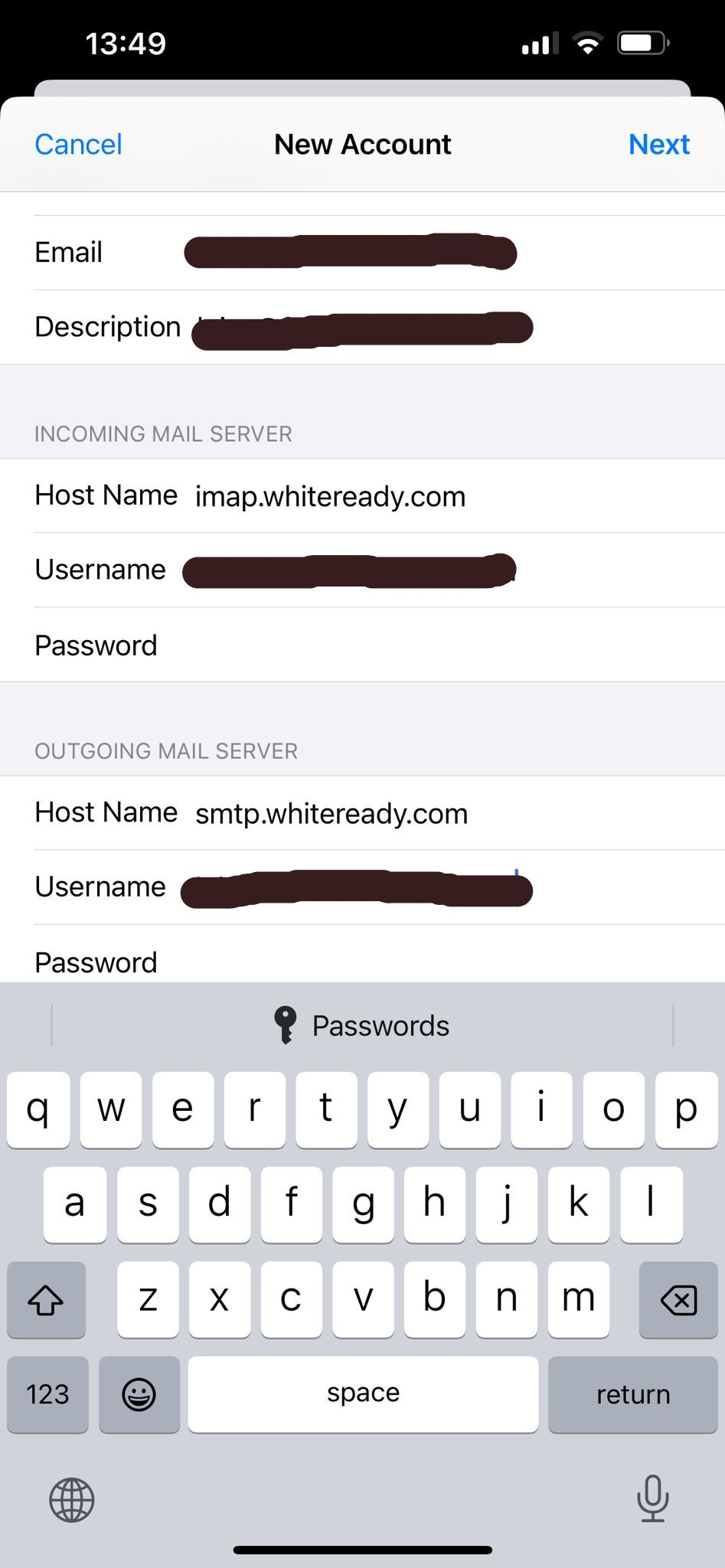
Save configurazione with tap on "Next", at right top corner.
Other settings
Outgoing mail server
Tap on "Outgoing mail server" -> SMTP, then tap on "PRIMARY SERVER"
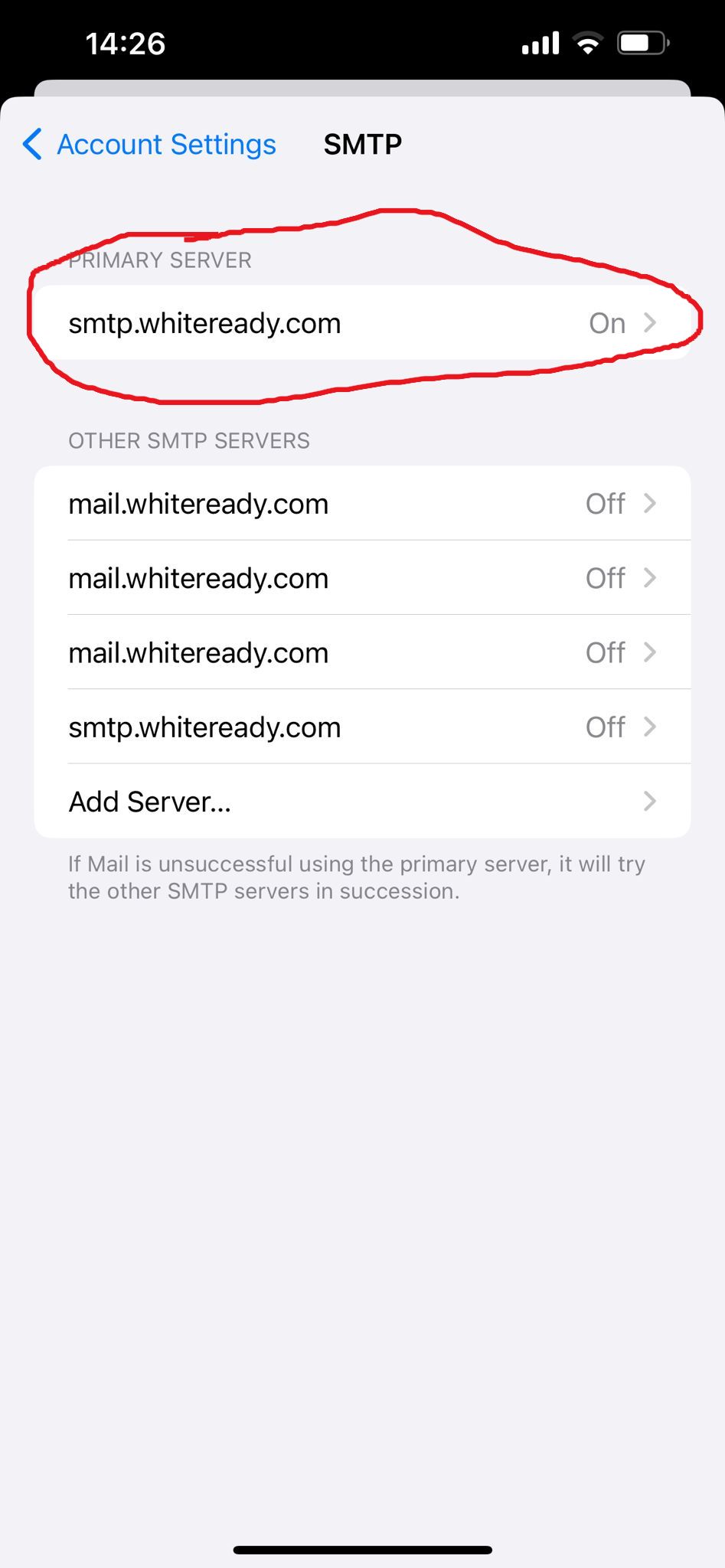
Set hostname (smtp.whiteready.com), username (the same of incoming mail server) and the password, set "On" the SSL flag, check if Server Port is 665.
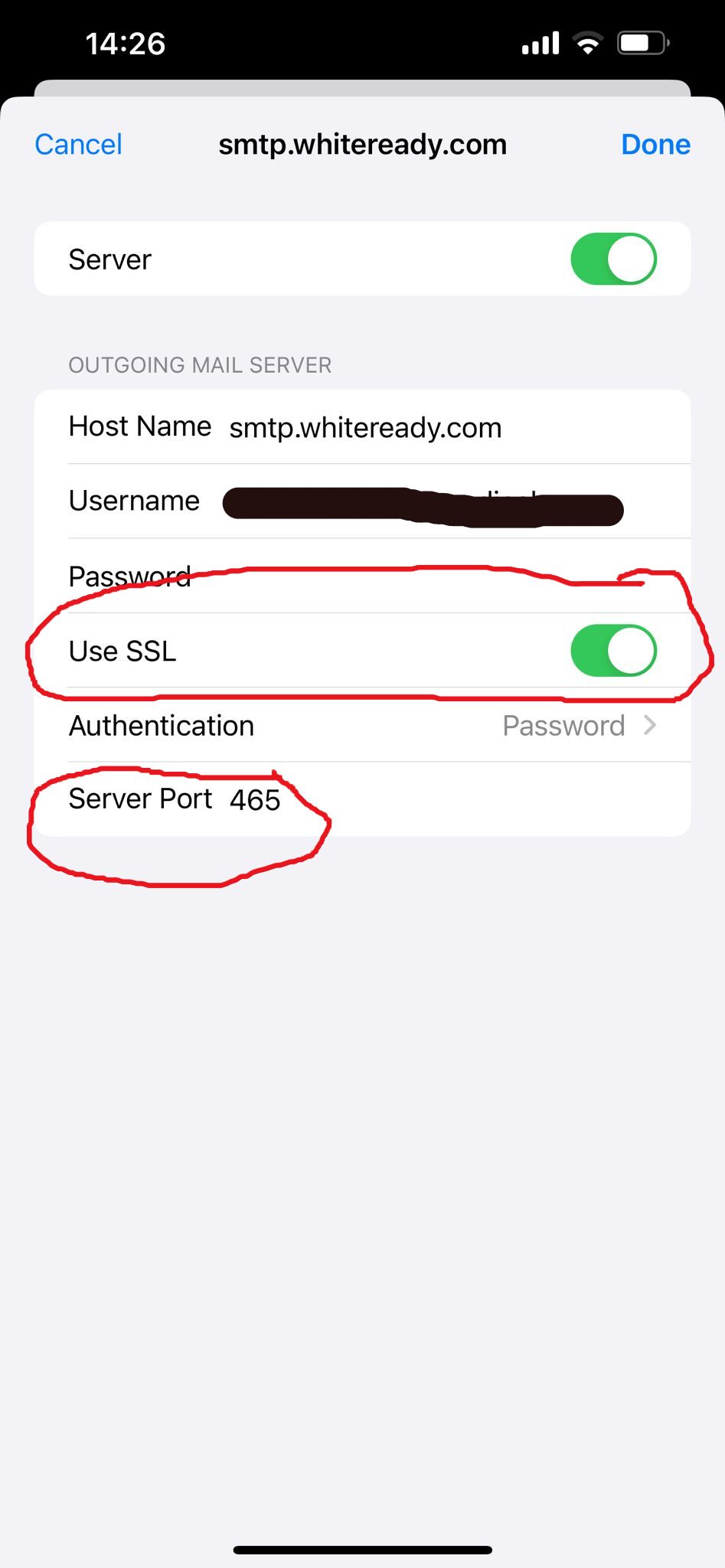
Tap on "Done", on the right top corner.
At the bottom of this page, you see another button: "Advanced". Tap on.
Account settings Advanced
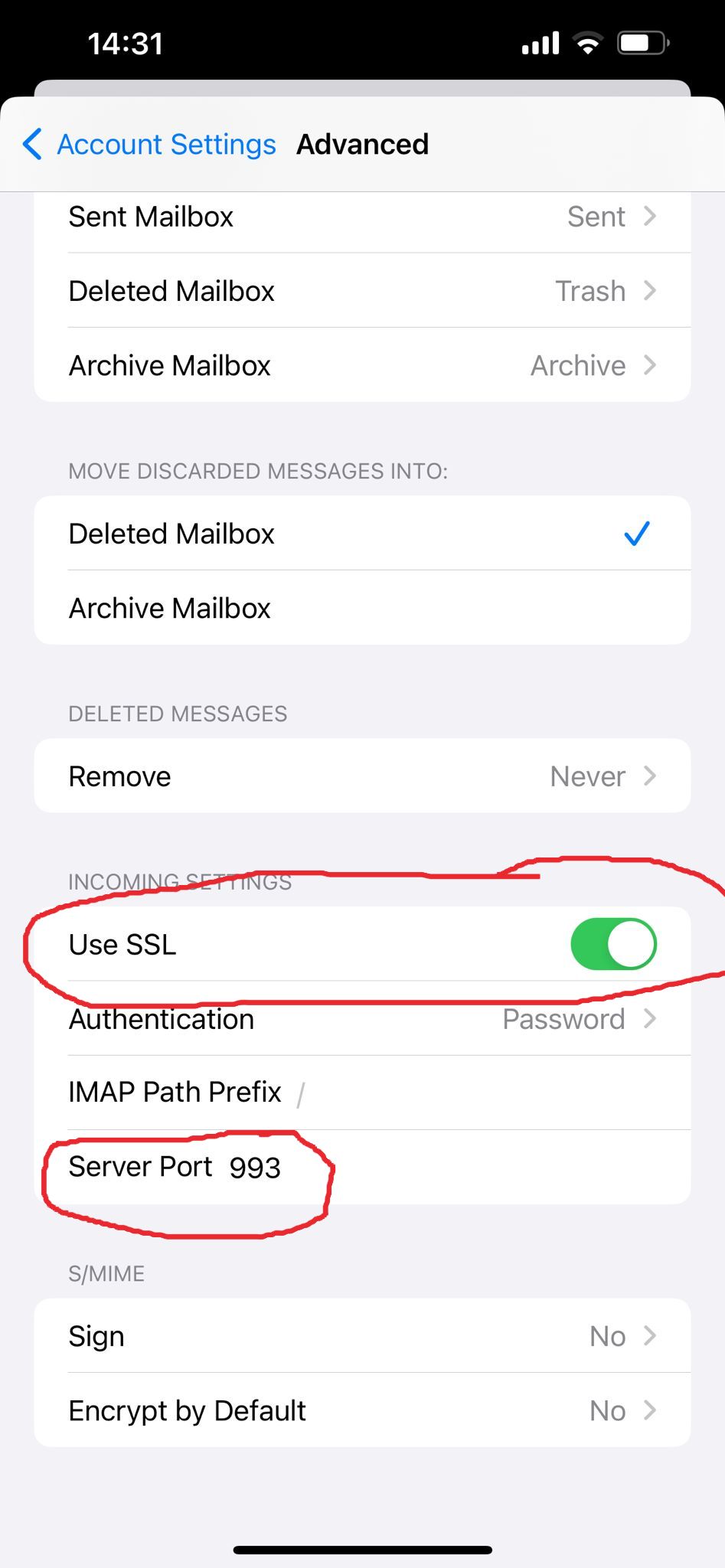
The part that interests us is the one marked in red
Set ‘Use SSL’ to ‘Active’.
Check that the server port is 993.